
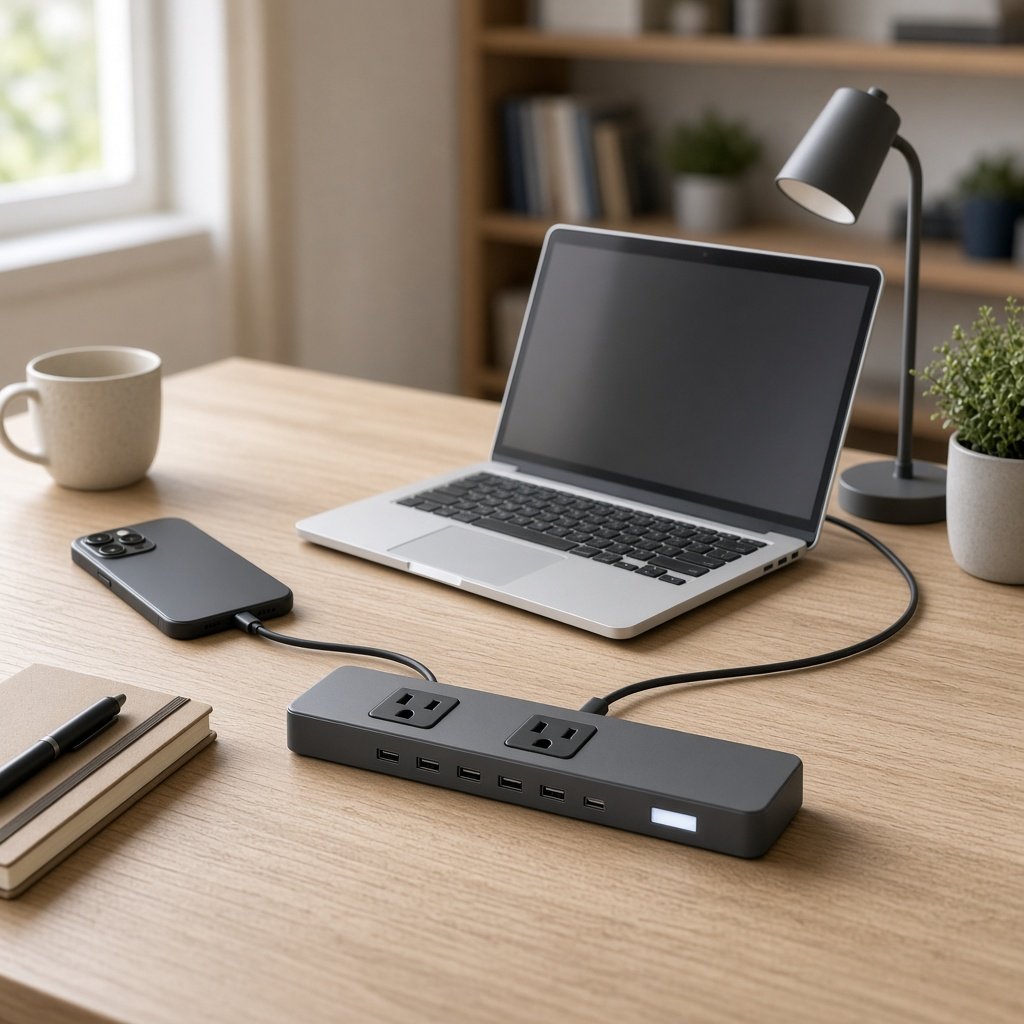
The Anker Prime 6-in-1 Charging Station turns one wall socket into two AC outlets plus two USB-C and two USB-A ports. The Verge picked it as a 2026 gift under $100. A single USB-C port reaches 140W, and a small screen shows live power use.
Description
The Anker Prime 6-in-1 Charging Station is a slim power strip and fast charger in one, built for a crowded desk. The Verge put it in its 2026 guide to the best gifts under $100, calling it a great pick for anyone who owns lots of gadgets but has few free outlets. One wall socket feeds two AC outlets, two USB-C ports and two USB-A ports.
Why the Anker Prime 6-in-1 Charging Station Suits a Home Office
Most desks end up with a laptop brick, a phone charger and a lamp all competing for the same outlet. This station (model A9128) puts all of that in one flat unit measuring 6.3 x 3.1 x 0.7 inches, with a 5 ft detachable cord. It uses Anker’s GaNPrime technology, and a built-in screen shows power for each port. Tap once for port-by-port readings, tap again for voltage and current, or press and hold to switch the screen off.
Ports and Power
A single USB-C port can deliver up to 140W, which is enough for power-hungry laptops. When both USB-C ports are in use they split to 65W each, and the two USB-A ports share 15W. Anker lists a total output of up to 1000W across the AC and USB sides together. Its safety features include ActiveShield 2.0 temperature monitoring, short-circuit protection and a fire-resistant shell.
Who It’s For
- Remote workers charging a laptop, phone and earbuds at one desk
- Students in dorm rooms with only a few outlets
- Anyone with a nightstand or home office full of cables
- Gift shoppers looking for a practical tech upgrade
Pros and Cons
Pros
- Six outlets from one wall socket
- Up to 140W from a single USB-C port
- Live power readout on the built-in display
- Flat, compact body with a detachable 5 ft cord
Cons
- No surge protection, according to Anker
- USB-C power drops to 65W per port when both are used
- No wireless charging pad or built-in battery
Buying Tip
To get more than 60W, you need a 5A E-Marker USB-C cable, and the full 140W requires a PD 3.1 cable. Check the cable that came with your laptop before you rely on top speed. If you need protection for expensive gear, plug the station into a surge protector.
Related products
-
Logitech Blue Yeti USB Microphone with Blue VO!CE (Blackout)
Check Price on Amazon -
HP OmniBook X 14 AI Laptop with Intel Core Ultra 7, 24GB RAM and 1TB SSD
Check Price on Amazon -
Logitech G305 Lightspeed Wireless Gaming Mouse (White)
Check Price on Amazon -

HyperX Cloud III Wired Gaming Headset
Check Price on Amazon