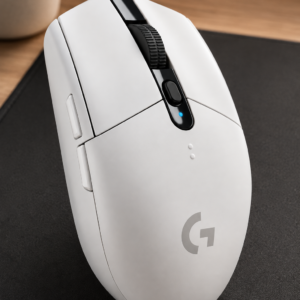

The Logitech MX Master 4 is a premium wireless mouse with customizable haptic feedback, an on-screen Actions Ring, a fast MagSpeed scroll wheel and a thumb wheel. WIRED rated it 9/10 in its work-from-home gift ideas, making it a smart holiday upgrade for remote workers.
Description
The Logitech MX Master 4 is the newest version of Logitech’s popular productivity mouse, built for long workdays at a desk or on the road. WIRED included the Logitech MX Master 4 in its work-from-home gift ideas and gave it a 9/10 WIRED Recommends score, which makes it a strong holiday pick for anyone who lives in spreadsheets, browsers and design apps.
What’s New on the Logitech MX Master 4
The headline upgrade is haptic feedback. Logitech calls it the Haptic Sense Panel, and says you can tune the feedback for specific actions, shortcuts and notifications in the free Logi Options+ app. There is also the Actions Ring, an on-screen menu of shortcuts that WIRED notes can be called up on the desktop at any time.
Scrolling, Tracking and Connections
The MagSpeed steel scroll wheel switches between a precise ratchet mode and a hyper-fast mode, and a thumb wheel handles side-to-side scrolling, which WIRED found great for wide spreadsheets. Logitech lists an 8,000 DPI sensor that tracks on almost any surface, including glass at least 4 mm thick. The mouse connects over Bluetooth or the included USB-C Logi Bolt receiver and can pair with up to three devices.
Battery
Logitech rates it at up to 70 days per full charge, with about three hours of use from a one-minute quick charge over USB-C, and you can keep using it while it charges.
Who It’s For
- Remote workers and office staff who spend hours in spreadsheets and documents
- Designers and editors who want customizable shortcuts
- People who switch between a laptop and a desktop every day
- Gift shoppers looking for a premium, no-sizing tech upgrade
Pros and Cons
Pros
- Rated 9/10 and recommended by WIRED
- Haptic feedback and Actions Ring shortcuts
- Fast MagSpeed wheel plus a thumb wheel for horizontal scrolling
- Pairs with up to three devices
Cons
- Costs more than a basic wireless mouse
- Logitech says a charging cable is not included
- The best features need the Logi Options+ app
Buying Tip
Make sure the listing says MX Master 4, not the older MX Master 3S, and check the color before you order. Since Logitech says no charging cable comes in the box, add a USB-C cable to the gift if the recipient does not already have one at their desk.