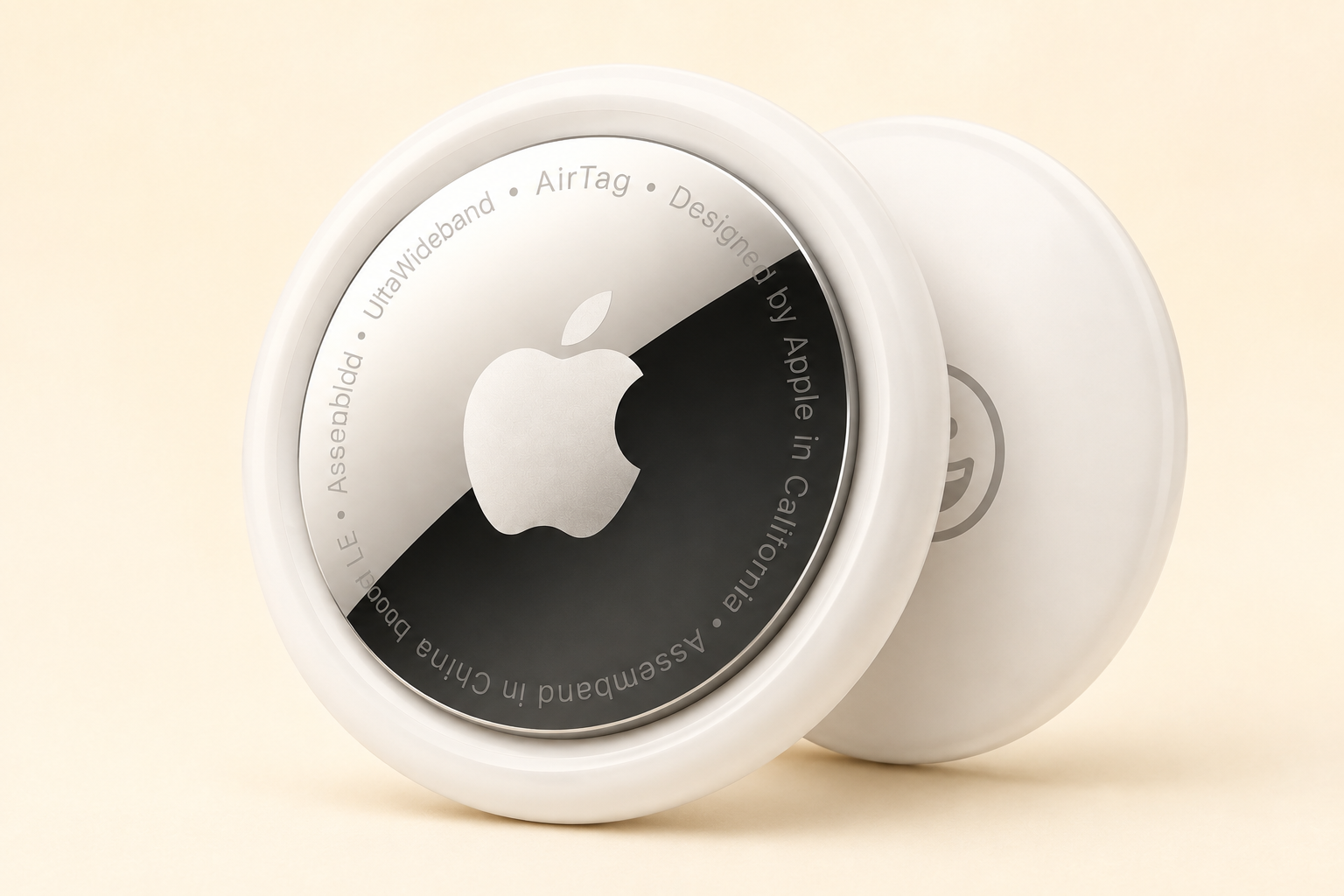
Apple’s AirTag (2nd generation) locates keys, wallets and luggage through the Find My network, with one-tap iPhone setup, a speaker and up to 1.5x Precision Finding range versus the original. Best for iPhone users; holders are sold separately. Sold in single and four-packs.
Description
The Apple AirTag 2nd generation is a coin-sized tracker for keys, wallets and bags that uses Apple’s Find My network. Apple says the new model extends Precision Finding range by up to 1.5 times compared with the original.
Day-to-day life with the AirTag (2nd generation)
Attach it to keys, slip it into a wallet, put one in a suitcase to check bags arrive with you, add one to a backpack, or tuck one into a bike or camera bag.
It needs an Apple device to set up and use; Android users get limited support. You need a holder or keyring, sold separately. Anti-stalking alerts mean it is meant for belongings, not tracking people.
The AirTag (2nd generation) at a glance
Apple describes one-tap setup with an iPhone or iPad, a built-in speaker to play a sound, and location through the Find My network of nearby Apple devices. Precision Finding guides you to the tag with on-screen directions on supported iPhones.
Worth confirming: Apple only
Check your iPhone supports Precision Finding, and budget for a holder. Single and four-packs are available.
How the AirTag (2nd generation) compares
Ridge or Chipolo cards suit wallets, while Tile works with Android.
Deciding on the AirTag (2nd generation)
Who the AirTag (2nd generation) is for
- iPhone users
- Frequent flyers checking luggage
- People who misplace keys
Android users should pass
- Android users
- Anyone wanting a slim card tracker
Weighing up the AirTag (2nd generation)
What the AirTag (2nd generation) gets right
- Huge Find My network
- Easy setup
- Longer precision range
Main catch: Apple only
- Apple only
- Accessories extra
Should you get the AirTag (2nd generation)?
The default tracker for anyone in the Apple world. If you own an iPhone, it is the easiest place to start.
Who it suits best
The second-generation AirTag is ideal for iPhone owners who misplace keys, want to track checked luggage, or travel with expensive camera or laptop bags. Setup takes seconds, there is no subscription, and the Find My network covers most populated areas thanks to the huge number of Apple devices nearby.
Who should skip it
Android users get only limited support, so a cross-platform tag is a better choice. If you need live, constantly updated location for a vehicle, a cellular GPS tracker does that job; an AirTag only updates when an Apple device passes nearby.
Key considerations before you buy
- Holders: An AirTag has no built-in hole, so you will need a key ring, luggage tag, or wallet holder.
- Precision Finding: On-screen arrows only work with supported iPhones. Check your model before relying on that feature.
- Battery: It uses a replaceable coin cell. Keep a spare in your travel kit and check the battery status in Find My before long trips.
- Privacy alerts: Anti-stalking alerts are built in, so it is designed for belongings, not tracking people.
Alternatives worth comparing
If you want a tracker that fits flat in a wallet, the Ridge tracker card works with the same Find My network. For a vehicle or trailer, the LandAirSea 54 GPS tracker gives live cellular tracking.
Related guide
It also makes a useful gift; see our gift guide for frequent flyers.