As an Amazon Associate I earn from qualifying purchases.
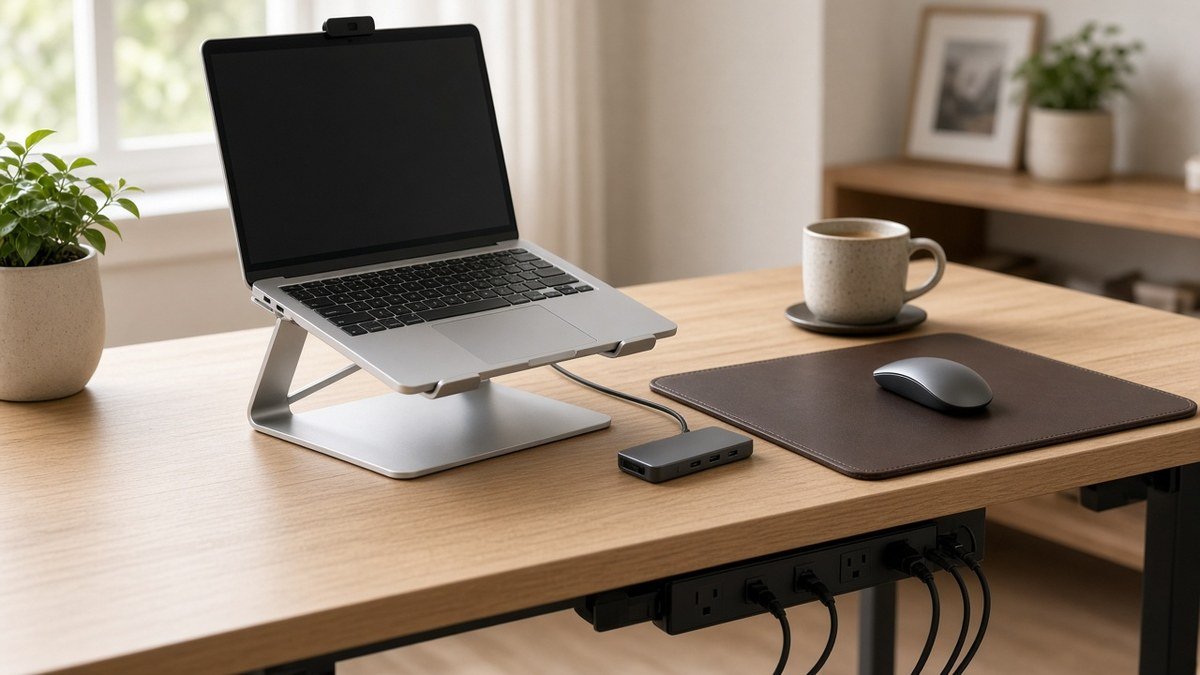
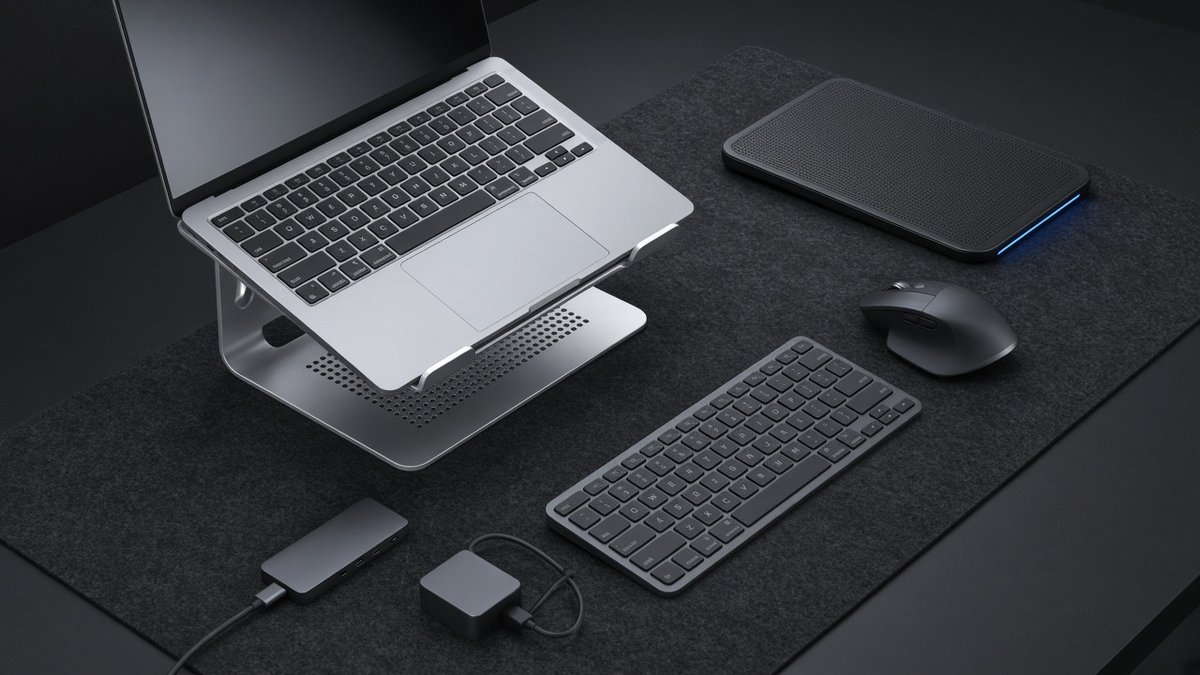
The Cyber Monday laptop accessories most worth watching are the everyday upgrades that make a laptop easier to live with: a better mouse, a USB-C dock or hub, a laptop stand and a smaller charger. Cyber Monday 2026 falls on Monday, November 30, right after Black Friday on November 27, and accessories like mice, keyboards, chargers and hubs are exactly the kind of online-friendly items that often get discounted that week. Our top pick is the Logitech MX Master 3S, with the Anker 8-in-1 dock and the BESIGN stand close behind.
Our Top Picks at a Glance
Logitech MX Master 3S Wireless Mouse
Anker 8-in-1 USB-C Dock with Dual HDMI
BESIGN LS03 Aluminum Laptop Stand
As an Amazon Associate I earn from qualifying purchases. Prices and availability change often; check Amazon for today’s price.
Cyber Monday Laptop Accessories: Our Watch List at a Glance
| Product | Best for | Why it made the cut | Amazon |
|---|---|---|---|
| Logitech MX Master 3S Wireless Mouse | Best overall upgrade | Fast, quiet scrolling for long workdays | Check Price |
| Anker 8-in-1 USB-C Dock with Dual HDMI | Best for two monitors | One cable for screens, Ethernet and charging | Check Price |
| BESIGN LS03 Aluminum Laptop Stand | Best for neck comfort | Raises the screen closer to eye level | Check Price |
| Logitech MX Keys S Wireless Keyboard | Best keyboard | Backlit keys and three-device switching | Check Price |
| Anker Nano II 65W USB-C Charger | Best compact charger | Small brick that can charge many USB-C laptops | Check Price |
| Anker 5-in-1 USB-C Hub with 4K HDMI | Best travel hub | HDMI and USB ports that fit in a laptop bag | Check Price |
| Logitech Pebble Mouse 2 M350s | Best budget mouse | Slim, quiet and runs for ages on one AA | Check Price |
| Kootek 5-Fan Laptop Cooling Pad | Best for hot laptops | Five fans plus six height settings | Check Price |
| LapGear Home Office Lap Desk | Best for couch work | A steady surface on the sofa or bed | Check Price |
We don’t list prices here because they change hourly during sale weeks. Each Check Price link opens the current Amazon listing, so you can see whether today’s price is actually a deal.
1. Logitech MX Master 3S Wireless Mouse
If you only upgrade one thing on Cyber Monday, make it the mouse you touch all day. The Logitech MX Master 3S has an 8K DPI sensor that works even on a glass table, and its MagSpeed wheel either ratchets precisely or free-spins through hundreds of rows in a second.
A thumb wheel handles side-to-side scrolling, and Logitech claims the buttons make roughly 90% less noise than the MX Master 3’s. Up to three computers can be paired via Bluetooth or the included Logi Bolt receiver, supports Windows, macOS, Linux and ChromeOS, and recharges over USB-C. It’s a full-size, right-handed shape, so it’s not the one to toss in a small bag.
Pros
- Free-spinning MagSpeed wheel
- Quiet clicks for shared spaces
- Switches between three devices
Cons
- Right-handed only
- Bulky for travel
Best for: Remote workers, spreadsheet users, editors and coders.
2. Anker 8-in-1 USB-C Dock with Dual HDMI
A dock turns a thin laptop into a full desk setup with a single plug. Anker’s 8-in-1 gives you a pair of HDMI ports, a wired network jack, two USB-A ports, both full-size SD and microSD slots, and USB-C charging pass-through rated up to 85W.
A single monitor gets 4K at 60Hz, but plugging in a second one limits both to 30Hz. The big caveat is Mac support: Macs can only mirror the same image on both HDMI screens, so this is a better buy for Windows laptops. A charger isn’t included, so plan to use your own USB-C charger and cable.
Pros
- Two HDMI outputs
- Wired Ethernet and card readers
- Up to 85W pass-through charging
Cons
- Macs mirror rather than extend on dual HDMI
- No charger in the box
Best for: Windows users who want a two-monitor desk from one cable.
3. BESIGN LS03 Aluminum Laptop Stand
Hunching over a laptop all day is a quick route to a stiff neck. The BESIGN LS03 raises the display roughly 5.7 inches, works with laptops in the 10- to 15.6-inch range, and holds up to 8.8 pounds on an aluminum frame with rubber pads.
The open design lets air reach the bottom of the laptop, and it breaks down into pieces for carrying. The height is fixed, not adjustable, and the built-in keyboard becomes uncomfortable once the laptop is tilted up, so budget for a separate keyboard and mouse such as the Logitech models in this guide.
Pros
- Raises the screen toward eye level
- Sturdy aluminum build
- Comes apart for carrying
Cons
- Fixed height
- Needs a separate keyboard
Best for: Anyone working on a laptop at a desk for hours.
4. Logitech MX Keys S Wireless Keyboard
The natural partner for a laptop stand is a proper keyboard. Logitech’s MX Keys S gives you a full layout, number pad included, with concave keycaps shaped for your fingertips and smart backlighting that turns on as your hands approach.
You can hop between three paired devices, connects over Bluetooth Low Energy or a Logi Bolt receiver, and charges over USB-C. Battery estimates run from about 10 days with the backlight on to roughly 5 months with it off. The free Logi Options+ app adds Smart Actions for multi-step shortcuts. That full layout does need a wide desk.
Pros
- Comfortable, quiet typing
- Backlight that wakes when you reach for it
- Three-device switching
Cons
- Takes up desk space
- Backlight shortens battery life
Best for: Writers, remote workers and anyone who types all day.
5. Anker Nano II 65W USB-C Charger
Many stock laptop chargers are bulky bricks. The Anker Nano II 65W puts out up to 65W through a single USB-C port, which covers lots of ultrabooks and smaller MacBooks, and it also fast-charges most current phones.
Its GaN design makes it far smaller than the typical laptop brick, and the prongs fold away for packing. There’s only one port, and no cable comes in the box. Check your laptop’s required wattage first, since larger performance laptops may need more power.
Pros
- Small and foldable
- Charges laptop or phone
- 18-month warranty
Cons
- Single port
- Cable sold separately
Best for: Travelers and anyone who wants a spare charger for the bag.
6. Anker 5-in-1 USB-C Hub with 4K HDMI
If a dock is overkill, a small hub fixes the “not enough ports” problem. Anker’s 5-in-1 offers an HDMI output (4K at 30Hz), three data ports (one USB-C, two USB-A) running at 5 Gbps, and a USB-C power input that passes up to 85W through to the laptop.
It’s compact enough to stay in your bag permanently for hotel TVs, client monitors and flash drives. It handles one external screen, so look at the dock above if you want two monitors or wired internet. Because the hub keeps a little power for itself, pairing it with a higher-wattage charger helps.
Pros
- Pocket-size
- HDMI plus three data ports
- 85W pass-through charging
Cons
- One monitor only
- 4K at 30Hz, not 60Hz
Best for: Students, travelers and owners of thin laptops.
7. Logitech Pebble Mouse 2 M350s
For a backup or travel mouse, the Pebble Mouse 2 M350s from Logitech is slim enough to slide into a laptop sleeve. It remembers three Bluetooth devices, and a single AA battery is rated to last up to two years.
Its Silent Touch buttons are much quieter than a standard click, handy in libraries and shared rooms. The flat shape is less supportive than the MX Master for all-day use, and it uses Bluetooth only, with no USB receiver.
Pros
- Very slim and light
- Quiet clicks
- Long battery life on one AA
Cons
- Flat shape for long sessions
- Bluetooth only
Best for: Students, travelers and anyone who wants a spare mouse.
8. Kootek 5-Fan Laptop Cooling Pad
If your laptop gets hot and noisy during video calls, exports or games can benefit from extra airflow. This Kootek pad takes 12- to 17-inch machines and puts one big fan and four small ones beneath a metal mesh surface.
Choose which fans spin, set it at one of six heights, and use the two-port USB pass-through. LED lighting color varies by version. It’s bulky to carry, and laptops with only USB-C ports will need an adapter to power it.
Pros
- Selectable fan modes
- Six height settings
- Fits up to 17-inch laptops
Cons
- Bulky
- Needs an adapter for USB-C-only laptops
Best for: Gamers and anyone whose laptop runs hot under load.
9. LapGear Home Office Lap Desk
Not all laptop work happens at a desk. LapGear’s Home Office Lap Desk creates a stable work surface on the sofa or in bed, fitting laptops up to 15.6 inches with a built-in mouse pad and a slot that holds a phone upright.
A ledge stops the laptop from sliding, a cushioned base sits comfortably on your lap, and at about 2.14 pounds with a carry handle it moves easily between rooms. It isn’t a replacement for a proper desk setup during long workdays.
Pros
- Built-in mouse pad
- Phone slot for calls
- Light, with a carry handle
Cons
- Not for all-day work
- Fits up to 15.6-inch laptops only
Best for: Couch workers, students and late-night email checkers.
More Laptop Accessories on Our Cyber Monday Watch List
- Aothia Leather Desk Pad: a large faux-leather mat that protects the desk and doubles as a mouse pad. Check Price
- Hiearcool 7-in-1 USB-C Hub: a 7-in-1 hub with HDMI, card readers and up to 100W pass-through. Check Price
- Anker 140W 4-Port GaN Charger: a four-port GaN charger with a smart display for a laptop, tablet and phone at once. Check Price
How to Spot a Real Cyber Monday Laptop Accessories Deal
- Check the price history. A price tracker shows whether the “sale” price is actually lower than the past few months or just back to normal.
- Confirm the exact model. Sale listings sometimes feature an older generation. Match the model name, such as MX Master 3S rather than MX Master 3.
- Match ports and power. Check whether your laptop has USB-C with charging and display support before buying a dock or a hub, and confirm your laptop’s wattage before choosing a charger.
- Mind Mac display limits. Many Macs can’t extend to two screens through a single hub, so Mac owners should read the dock’s notes carefully.
- Buy the setup, not just one piece. A stand only makes sense with an external keyboard and mouse.
- Watch the whole week. Many retailers start Cyber Monday offers on Sunday and stretch them into Cyber Week, so you don’t have to buy in the first hour.
Related guides
- Shopping for trips too? See our Black Friday travel deals 2026 hub.
- Building a full workspace? Start with our laptop desk setup essentials.
- Looking for smaller gifts? Browse tech gifts under $50.
Cyber Monday Laptop Accessories FAQ
When is Cyber Monday 2026?
Cyber Monday 2026 is Monday, November 30, the Monday after Thanksgiving (November 26) and Black Friday (November 27). Many retailers open their Cyber Monday deals on Sunday, November 29, and some keep them running through Cyber Week.
Is Cyber Monday or Black Friday better for laptop accessories?
Both can work. Smaller online-friendly items such as mice, keyboards, chargers, hubs and cables are often strong on Cyber Monday, while big-ticket electronics tend to headline Black Friday. Compare the same exact model on both days instead of assuming one is cheaper.
Which laptop accessory makes the biggest difference?
For most people it’s the trio of a stand, a separate keyboard and a mouse. Raising the screen improves posture, and full-size input devices are more comfortable than a trackpad for long days.
Do USB-C hubs work with every laptop?
No. Your laptop’s USB-C port needs to support video output for HDMI to work and power delivery for pass-through charging. Check your laptop’s specs, and note that many Macs mirror rather than extend on dual-HDMI docks.
Should I wait for Cyber Monday or buy now?
If your current mouse, charger or hub has died, buy what you need now. If it’s an upgrade you can wait on, add it to your list and check prices from Thanksgiving week through Cyber Monday.
Conclusion: Upgrade the Setup You Use Every Day
The best Cyber Monday laptop accessories are the ones that remove a daily annoyance. The Logitech MX Master 3S is our top pick for a better workday, the Anker 8-in-1 dock suits Windows users who want two monitors, and the BESIGN LS03 stand is the simplest posture upgrade. Bookmark this page and use the orange buttons to check current prices as Cyber Monday approaches.

Author: TrendRanker Editorial Team
The TrendRanker Editorial Team is the independent research group behind TrendRanker.online. We compare published product specifications side by side, analyze patterns in long-term verified owner reviews, and screen out products with signs of high return rates or early failures before anything is recommended. Our guides cover remote work and travel gear, everyday tech, personal care, and gifts for US shoppers. We are not paid by brands for placement, and every guide is written in our own words.