
As an Amazon Associate I earn from qualifying purchases.
The best smart home gifts under 50 dollars are the ones that work in minutes and get used every day: a voice speaker for the kitchen, a streaming stick for an aging TV, or a tracker for keys that always vanish. Our top pick is the Amazon Echo Dot, followed by the Fire TV Stick 4K Plus and the Roku Streaming Stick HD. Each item here is an affordable gadget that commonly sells under $50, but prices change often, so tap Check Price for today’s figure.
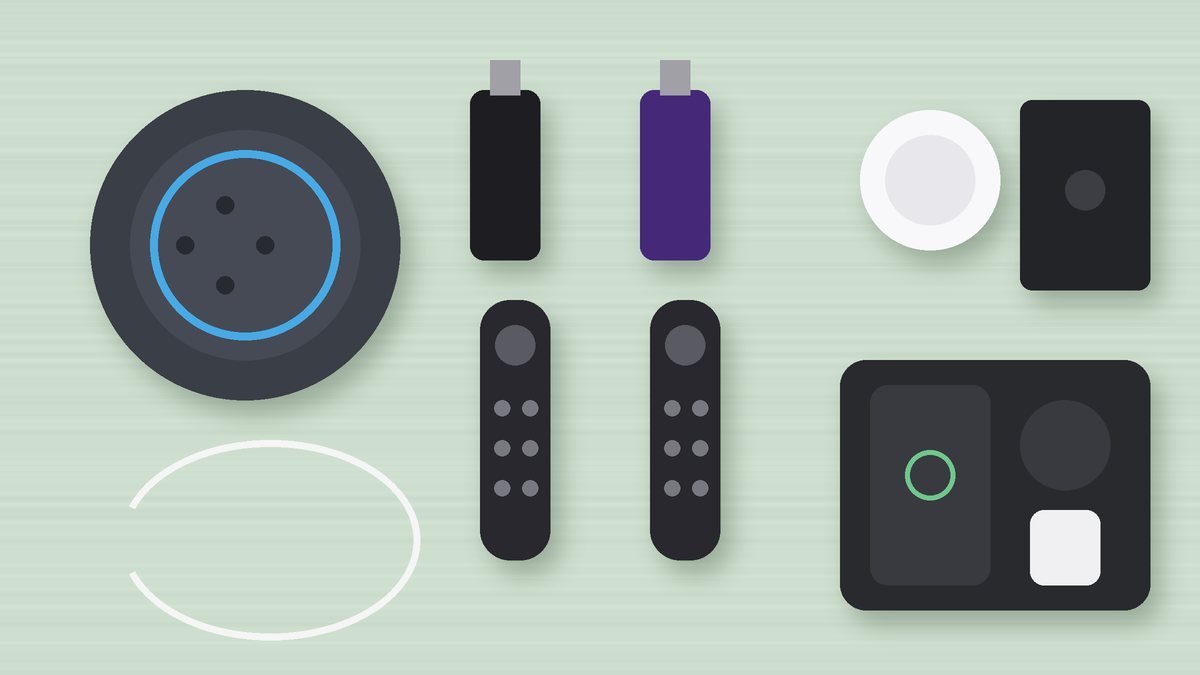
Our Top Picks at a Glance
Fire TV Stick 4K Plus
Apple AirTag (2nd Generation)
As an Amazon Associate I earn from qualifying purchases. Prices and availability change often; check Amazon for today’s price.
Quick Picks: Smart Home Gifts Under $50
| Product | Best for | Why it makes a good gift | Amazon |
|---|---|---|---|
| Amazon Echo Dot (Newest Model) | Best overall | Voice control, timers, music and routines in one small speaker | Check Price |
| Fire TV Stick 4K Plus | Best for 4K TVs | Revives a slow smart TV with fast 4K streaming | Check Price |
| Roku Streaming Stick HD with Voice Remote | Best for bedrooms and guest rooms | The simplest streaming setup for a second TV | Check Price |
| Apple AirTag (2nd Generation) | Best for iPhone users | Finds keys and bags through Apple’s Find My network | Check Price |
| Ridge Tracker Card for Apple Find My | Best for wallets | AirTag-style tracking in a slim, rechargeable card | Check Price |
| GETPALS 3-in-1 Wireless Charging Station | Best for the nightstand | Charges phone, watch and earbuds from one plug | Check Price |
Why small smart gadgets make better gifts than big systems
A full smart home means hubs, wiring and a weekend of setup. That’s a project, not a present. The gadgets below each solve one problem on their own, plug into what people already own (a TV, a Wi-Fi network, an iPhone) and take a few minutes in an app to get going. Before you buy, find out two things: does the person use an iPhone or Android, and do they already lean toward Alexa? That decides most of this list.
1. Amazon Echo Dot (Newest Model)
Plenty of people get their first taste of a smart home from an Echo Dot, and it’s easy to see why. Put the little Alexa sphere in a kitchen and it becomes the kitchen timer, the radio and the weather report; put it by the bed and it’s the alarm clock. Ask it to play from Spotify, Apple Music or Amazon Music, or just pair a phone over Bluetooth.
This generation can sense motion and room temperature, which opens up simple routines such as a lamp switching on as someone enters. Snoozing is a tap on the top. Buy two and the Alexa app can link them as a stereo pair, and eero mesh owners get a bonus: the Dot can stretch that eero network a bit further. A button cuts the microphones when privacy matters. Know the limits too: the bass is modest, and setup runs through an Amazon account.
Pros
- Small enough for a nightstand or counter
- Motion and temperature sensors for routines
- Works with the major music services
Cons
- Limited bass
- Needs an Amazon account and the Alexa app
Best for: Kitchens, bedrooms, kids’ rooms and anyone new to smart home gadgets.
2. Fire TV Stick 4K Plus
Got someone whose TV apps now stutter, crash or have stopped getting updates? The Fire TV Stick 4K Plus sidesteps the TV’s own software entirely. Slot it into a free HDMI input and they get a fresh 4K interface and app store, with Dolby Vision, HDR10+ and Dolby Atmos support, Wi-Fi 6 and an Alexa+ voice remote in the box.
Netflix, Prime Video, Disney+ and HBO Max are all there (subscriptions apply), plus free live channels and a newer AI-assisted search. Because it’s pocket-sized, it also travels well to rentals with an open HDMI port. One setup tip to pass along: power it from the wall adapter that comes with it, because many TV USB ports are too weak. The home screen leans heavily on Amazon’s own shows, which not everyone loves.
Pros
- 4K with Dolby Vision, HDR10+ and Atmos
- Wi-Fi 6 for steadier streaming
- Alexa voice remote included
Cons
- Home screen pushes Amazon content
- Full benefit needs a 4K TV
Best for: Owners of older or sluggish 4K TVs and households already using Alexa.
3. Roku Streaming Stick HD with Voice Remote
A spare bedroom TV doesn’t need 4K, it needs to be easy. That’s where the Roku Streaming Stick HD shines. It’s a slim stick that tucks behind the set and gives access to the big streaming apps and Roku’s own library of free films, shows and live channels, and one voice remote runs both the stick and the TV’s power and volume.
In many setups it runs off the TV’s own power, so there’s no extra plug to find, and the compact body leaves room for whatever sits in the next HDMI port. Roku also points to long-range Wi-Fi. Be clear on the trade-off before buying: this version tops out at HD. For a 4K screen, look at the 4K options on the same listing. Travelers should note that some hotels lock their HDMI inputs.
Pros
- Tiny and easy to hide
- Remote handles TV power and volume
- Clean, simple home screen
Cons
- HD only
- Hotel TVs may block it
Best for: Second TVs, grandparents and anyone who wants the simplest setup.
4. Apple AirTag (2nd Generation)
If the household always seems to be hunting for keys, the second-generation Apple AirTag is a small fix with a big payoff. Clip it to a keyring or drop it in a bag, and Find My shows where it is using the crowd of Apple devices nearby. A tiny speaker chirps on command for the classic lost-under-the-sofa moment.
According to Apple, Precision Finding on this model reaches about one and a half times farther than on the first AirTag, with arrows on screen guiding you on compatible iPhones. Pairing takes a single tap. Gift it only to iPhone or iPad owners, since Android support is minimal, and add a keyring or holder because neither comes in the box. Built-in tracking alerts make it a tool for belongings only.
Pros
- Huge Find My network
- One-tap setup
- Precision Finding on supported iPhones
Cons
- Needs an iPhone or iPad
- Keyring or holder costs extra
Best for: People on iPhone who lose keys, plus anyone who checks a suitcase.
5. Ridge Tracker Card for Apple Find My
Coin-shaped trackers are awkward inside a slim wallet. Ridge’s tracker card solves that with a credit-card format that tucks into a card slot, passport cover or laptop sleeve and reports through Apple Find My. The brand lists MFi certification and an IP68 water-resistance rating, and it recharges instead of using coin batteries.
The real benefit shows up when a wallet gets left on a bus or at a restaurant: passing Apple devices can relay its location privately, well beyond normal Bluetooth reach. Turn on left-behind alerts and the iPhone nudges you before you’re out the door. You won’t get AirTag-style Precision Finding, you’ll need to top up the charge now and then, and it adds a touch of bulk to ultra-thin wallets. iPhone owners only.
Pros
- Slim card shape fits wallets
- Rechargeable battery
- IP68 water resistance
Cons
- No Precision Finding
- Apple only
Best for: iPhone users who carry a wallet or passport holder everywhere.
6. GETPALS 3-in-1 Wireless Charging Station
Three devices, three cables, one cluttered nightstand. The GETPALS 3-in-1 stand turns that into a single spot where an iPhone, an Apple Watch and a pair of AirPods all charge together, fed by one wall plug. It also builds a habit: everything goes back on the stand at night and nothing starts the morning half empty.
The brand says it works with iPhone 12 up to the 17 lineup, Apple Watch Series 2 through 11 plus SE and Ultra, and AirPods in wireless cases. How fast it charges comes down to the adapter, so use the supplied one or one with enough wattage. Chunky phone cases can get in the way, and AirPods in a wired-only case won’t charge on the pad. This one is strictly for Apple households.
Pros
- Charges three devices at once
- One plug, one tidy spot
- Compact stand
Cons
- Speed depends on the adapter
- Built around Apple devices
Best for: Apple households, tidy-desk fans and anyone who always forgets to charge a watch.
How to Choose Smart Home Gifts Under 50 Dollars
- Match the ecosystem. Trackers like the AirTag and the Ridge card need an iPhone. The Echo Dot works with iPhone and Android through the Alexa app.
- Check the TV first. A 4K TV gets the most from the Fire TV Stick 4K Plus; an older HD set in a bedroom is a perfect match for the Roku Stick HD. Either way, confirm there’s a free HDMI port.
- Think about privacy. Some people don’t want an always-listening speaker. The Echo Dot has a mic-off button, but if they’re wary, a streaming stick or charger is the safer gift.
- Look for zero-project gifts. Everything here works with Wi-Fi or a phone they already own, with no hub, wiring or drilling.
- Plan for setup. If the gift is for a parent or grandparent, offer to set it up with them during the visit. That turns a gadget into a gift they’ll actually use.
More gift guides you might like
- Want more gadgets at the same budget? See our tech gifts under $50 guide.
- Shopping for someone who works from home? Try these Christmas gifts for remote workers.
- Buying for a dad who says he needs nothing? Our gifts for dad who wants nothing list has useful ideas.
FAQ: Smart Home Gifts
What is a good smart home gift for someone who has nothing smart yet?
Start with a small smart speaker like the Echo Dot. It’s useful on day one for music, timers and weather, and it becomes the voice control point if they add smart plugs or lights later.
Is a Fire TV Stick or Roku better as a gift?
It depends on the TV and the person. The Fire TV Stick 4K Plus suits 4K TVs and Alexa households, while the Roku Streaming Stick HD is simpler and fine for HD bedroom or guest-room TVs.
Do AirTags work with Android phones?
No. AirTag and the Ridge tracker card are built for Apple’s Find My network and need an iPhone or iPad. For an Android user, choose a speaker, streaming stick or a tracker made for Android.
Do smart home gifts need a subscription?
None of the picks here require a subscription to work. Streaming services like Netflix are paid separately, and some extra features in each brand’s app may be optional add-ons.
Conclusion: Small Gadgets, Daily Wins
Good smart home gifts don’t need to be expensive or complicated. The Echo Dot is our top pick for almost any room, the Fire TV Stick 4K Plus brings an old TV back to life, and the AirTag ends the daily hunt for keys. Match the gift to their phone and TV, then use the orange buttons to check today’s price and availability on Amazon.

Author: TrendRanker Editorial Team
The TrendRanker Editorial Team is the independent research group behind TrendRanker.online. We compare published product specifications side by side, analyze patterns in long-term verified owner reviews, and screen out products with signs of high return rates or early failures before anything is recommended. Our guides cover remote work and travel gear, everyday tech, personal care, and gifts for US shoppers. We are not paid by brands for placement, and every guide is written in our own words.