As an Amazon Associate I earn from qualifying purchases.
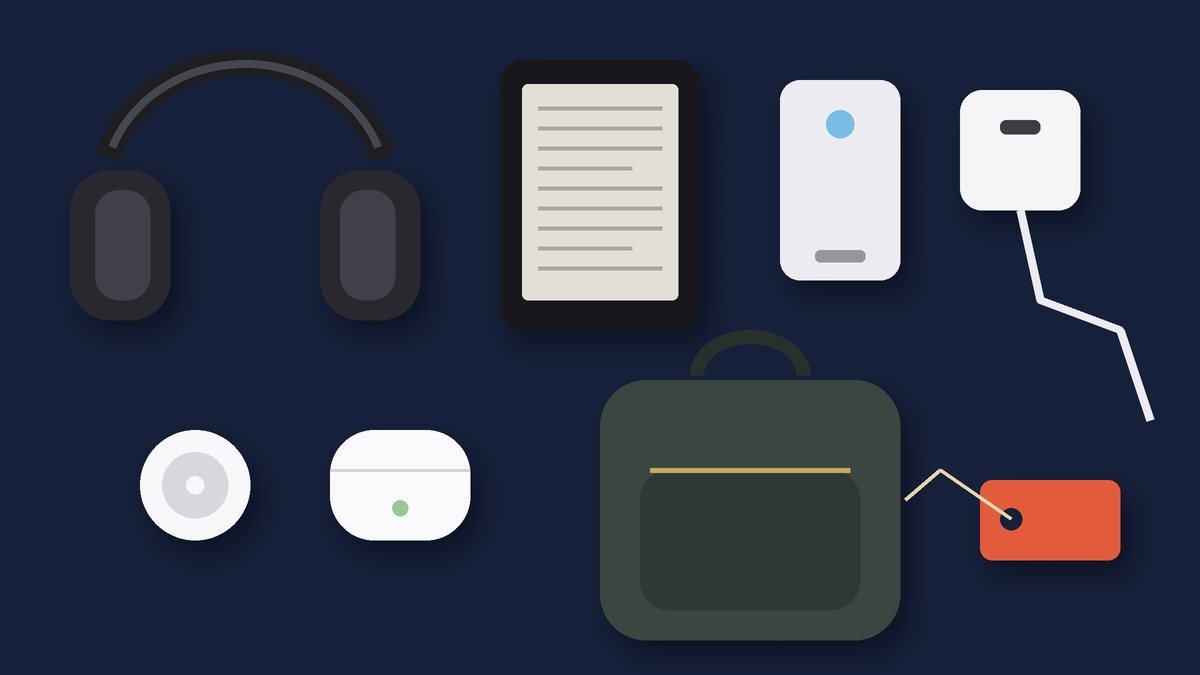
Every remote worker has a story about the cable they forgot. A dead phone at the gate, a laptop at 9% in a café with no spare outlet, an adapter left behind in the last Airbnb. Getting your travel tech pouch essentials right fixes almost all of that. The idea is simple: one organized pouch holds every charger, cable and adapter you need, it lives permanently in your bag, and you never have to rebuild it before a trip.
This guide walks through what belongs in that pouch, in roughly the order you will reach for things on the road: the organizer itself, power, plugs, connectivity and audio. We focus on gear categories that frequent travelers and digital nomads consistently recommend, and we link to each product’s page on TrendRanker so you can compare current details before you buy.

Quick Picks
- FYY Travel Tech Pouch: Best soft-sided organizer for cables
- Peak Design Tech Pouch: Best premium tech pouch
- Mid-Size Hard Shell Tech Organizer: Best hard-shell case for fragile accessories
- Anker 140W 4-Port GaN Charger: Best single charger for multiple devices
- Anker MagGo Power Bank 10K: Best magnetic power bank for iPhone users
- TESSAN Universal Travel Adapter: Best plug adapter for international trips
- Hiearcool 7-in-1 USB-C Hub: Best hub for laptop ports on the road
- Apple AirPods Pro 2: Best earbuds to keep in the pouch
Our Top Picks at a Glance
FYY Travel Tech Pouch
Peak Design Tech Pouch
Mid-Size Hard Shell Tech Organizer
As an Amazon Associate I earn from qualifying purchases. Prices and availability change often; check Amazon for today’s price.
FYY Travel Tech Pouch: Best soft-sided organizer for cables
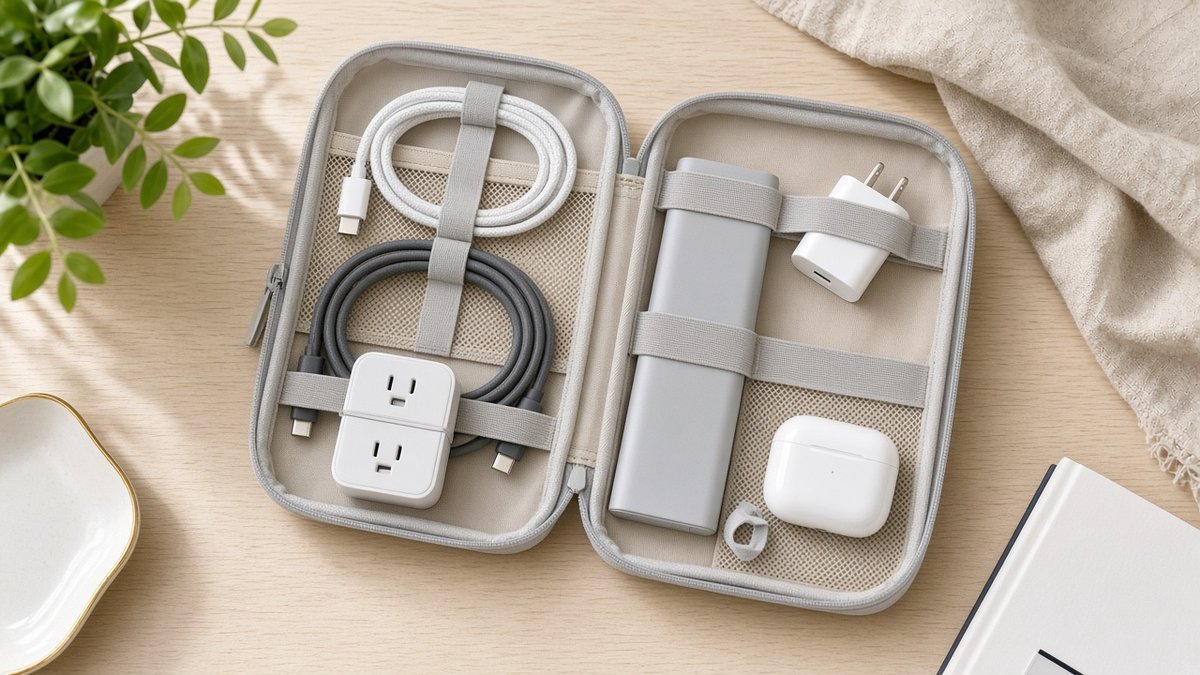
A dedicated cable organizer is the foundation of the whole system. The FYY Travel Tech Pouch is a soft-sided organizer built for exactly this job: holding chargers, cables, adapters and small accessories in one place so they stop tangling at the bottom of your backpack.
Soft pouches like this one are a good fit if you carry a mix of bulky and flat items, because the fabric flexes around odd shapes and squeezes into tight bag pockets. Look at the layout of elastic loops and mesh pockets on the product page and ask yourself whether your current cables would each have a home. The goal is that you can open the pouch and see, at a glance, whether anything is missing before you leave a hotel room.
Best for: travelers who want an affordable, flexible organizer and carry a fairly standard kit of phone, laptop and earbud chargers.
Peak Design Tech Pouch: Best premium tech pouch
The Peak Design Tech Pouch is one of the most recognized names in travel organization, and it is a common pick in one-bag travel circles. It is a structured fabric pouch designed around origami-style internal pockets, which keeps small items separated while still letting the pouch open wide.
A premium pouch makes the most sense when you travel constantly and the organizer is something you will use daily for years. If you work from cafés and coworking spaces, a pouch that opens flat on a table and lets you grab a single cable without unpacking everything saves real time and frustration.
Best for: full-time digital nomads and frequent business travelers who want a long-term, carry-every-day organizer.
Mid-Size Hard Shell Tech Organizer: Best hard-shell case for fragile accessories
Not everything in your pouch is a cable. Small drives, a mouse, a spare earbud case or a pair of glasses can get crushed in a soft bag. The Mid-Size Hard Shell Tech Organizer gives those items a rigid case, so they survive being squeezed under an airplane seat or stuffed into an overhead bin.
Many travelers use a hard shell as a second, smaller case alongside a soft pouch: the soft pouch holds chargers and cables, the hard case holds anything fragile. If you only want one organizer and you carry delicate accessories, a mid-size hard case can do both jobs.
Best for: anyone carrying fragile accessories or who wants crush protection for small electronics.
Anker 140W 4-Port GaN Charger: Best single charger for multiple devices
The single biggest space saver in a tech pouch is replacing a pile of individual power bricks with one multi-port charger. The Anker 140W 4-Port GaN Charger is a high-wattage, four-port wall charger built on GaN (gallium nitride) technology, which is what lets modern chargers deliver more power from a smaller body.
With four ports, one charger can cover a laptop, phone, earbuds and watch from a single outlet. That matters a lot in older hotels, hostels and airport lounges where outlets are scarce. Before buying, check that your laptop’s charging requirements are supported by the port you plan to use and that you have the right USB-C cables to match.
Best for: laptop users who want to leave every other charger at home.
Anker MagGo Power Bank 10K: Best magnetic power bank for iPhone users
A power bank is your backup when there is no outlet at all: on a long layover, a train, or a full day of navigating a new city on your phone. The Anker MagGo Power Bank 10K is a 10,000mAh magnetic power bank in Anker’s MagGo line, designed to snap onto the back of compatible iPhones so you can charge while you keep using the phone.
A 10K capacity is a sensible middle ground for a daily carry: large enough to meaningfully top up a phone, small enough to slip into a pocket. It is also well within the typical airline limit for carry-on batteries, which are generally capped by watt-hours rather than mAh. Remember that power banks must travel in your carry-on, never in checked luggage.
Best for: iPhone users who want a grab-and-go battery without a trailing cable.
TESSAN Universal Travel Adapter: Best plug adapter for international trips
If you leave the United States, your pouch needs a plug adapter. The TESSAN Universal Travel Adapter is designed to work with multiple international outlet standards, so one device can replace a handful of country-specific plugs.
A universal adapter pairs naturally with a multi-port charger: plug the adapter into the wall, the charger into the adapter, and you can power everything you own from one socket abroad. Note that a plug adapter changes the shape of the plug, not the voltage. Most modern phone and laptop chargers are dual-voltage, but check the label on anything with a heating element, such as hair tools, before plugging it in overseas.
Best for: international travelers and nomads moving between regions.
Hiearcool 7-in-1 USB-C Hub: Best hub for laptop ports on the road
Thin laptops have traded ports for portability, which becomes a problem the moment you need to plug into a hotel TV, a client’s projector, or a USB-A drive. The Hiearcool 7-in-1 USB-C Hub is a compact hub that turns one USB-C port into several, and it is designed with MacBook users in mind.
A hub is small, light, and solves problems you only discover at the worst moment, which is why it earns a permanent place in the pouch. Check the product page to confirm which ports are included and whether they match what you actually plug in, such as HDMI for presentations or card readers for photographers.
Best for: MacBook and USB-C laptop owners who present, edit photos, or work from shared offices.
Apple AirPods Pro 2: Best earbuds to keep in the pouch
Earbuds are easy to forget because they live in your pocket, not your bag. Keeping their charging cable in the pouch, and the case itself in a dedicated slot, makes sure they come with you. The Apple AirPods Pro 2 are Apple’s noise-cancelling in-ear earbuds, a common choice for iPhone users who take calls and work in noisy spaces.
For travelers, noise cancellation is less about luxury and more about focus: blocking airplane drone, café chatter and street noise makes it far easier to work or rest. Earbuds also take far less space than over-ear headphones, which matters if you are trying to stay in a single carry-on.
Best for: iPhone users who want compact noise-cancelling audio for calls and flights.
How to Choose Your Travel Tech Pouch Essentials
Start with what you actually charge
List every device you travel with and the connector each one uses. Most travelers find that two or three USB-C cables plus one other connector cover almost everything. Anything that does not make the list stays home.
Consolidate power
One multi-port charger with enough total wattage for your laptop and phone at the same time beats three separate bricks. Pair it with a universal adapter if you travel internationally.
Match the organizer to your gear
Soft pouches flex around bulky chargers; hard shells protect fragile accessories. Many people use one of each. Choose a pouch that opens wide so you can check its contents at a glance before leaving a room.
Respect airline battery rules
Power banks and spare lithium batteries belong in your carry-on, not checked bags. Airlines typically limit battery size by watt-hours, so check the rating printed on your power bank and your airline’s policy.
Duplicate, don’t pack
The easiest way to never forget a cable is to buy a second set that lives in the pouch permanently. Your desk set stays home; your travel set never leaves the bag.
Frequently Asked Questions
What should be in a travel tech pouch?
A practical travel tech pouch holds a multi-port charger, the cables for each of your devices (usually USB-C plus one other type), a power bank, a universal plug adapter for international trips, a USB-C hub or dongle if your laptop needs one, and earbuds or their charging case.
Are tech pouches worth it?
For most travelers, yes. A pouch keeps cables from tangling, makes it obvious when something is missing, and lets you move your entire charging kit from bag to bag in one motion. It is one of the cheapest upgrades to a travel setup.
Can I bring a power bank in my carry-on?
Yes. Power banks are generally required to be in carry-on baggage rather than checked luggage. Airlines usually set limits by watt-hour rating, and common 10,000mAh and 20,000mAh banks typically fall under the standard limit, but always confirm your airline’s rules.
Do I need a universal travel adapter or a converter?
Most travelers only need an adapter, which changes the plug shape. Modern phone and laptop chargers are usually dual-voltage. A voltage converter is only needed for single-voltage devices, often heating appliances; check the device label.
Hard shell or soft tech organizer?
Choose a soft organizer for flexibility and bulky chargers, and a hard shell when you carry fragile items such as drives, a mouse or glasses. Many digital nomads carry a soft pouch for cables and a small hard case for delicate accessories.
Conclusion
A well-built tech pouch is the quiet hero of stress-free travel. Start with an organizer that suits your gear, consolidate power into one strong charger, add a power bank and a universal adapter, and cover your laptop’s missing ports with a compact hub. Then leave the pouch packed between trips. Explore each pick above on its TrendRanker page to compare details, and build a kit you can trust from the first airport to the last coworking space. Before you fill your pouch, review the FAA guidance on traveling with lithium batteries so your travel tech pouch essentials stay airline-friendly.
Related: Picking your next work-anywhere base? Compare the best affordable US cities for digital nomads.
Keep reading: Building a full work-anywhere kit? Pair your pouch with our remote work tech kit for digital nomads, pack it alongside these carry-on essentials for business travel, and keep it safe with anti-theft travel accessories. Gifting one? See our Christmas gifts for frequent flyers.
One more pouch essential from our shop
- TESSAN Europe Plug Adapter 2-Pack: a two-pack of plug adapters for trips to Europe.

Author: TrendRanker Editorial Team
The TrendRanker Editorial Team is the independent research group behind TrendRanker.online. We compare published product specifications side by side, analyze patterns in long-term verified owner reviews, and screen out products with signs of high return rates or early failures before anything is recommended. Our guides cover remote work and travel gear, everyday tech, personal care, and gifts for US shoppers. We are not paid by brands for placement, and every guide is written in our own words.